How to Transfer a Single-Player Save to Your ARK Server
Moving a single-player world to your ARK server allows you to continue your progress in a multiplayer environment and share the experience with other players.
This is useful if you want to:
- keep playing the same world online
- move your progress to a dedicated server
- play with friends on your existing map
- keep your custom builds, tames, and progress
You need an FTP client to upload the save files manually.
See this guide: How to use File Manager and FTP Client
You may need your SteamID64 for the player profile file.
See this guide: How to find Steam ID or Epic ID
Single-player settings may be different from your server settings.
Back up any custom settings before replacing configuration files.
See also: ARK server settings customization
Step 1) Open your local save folder
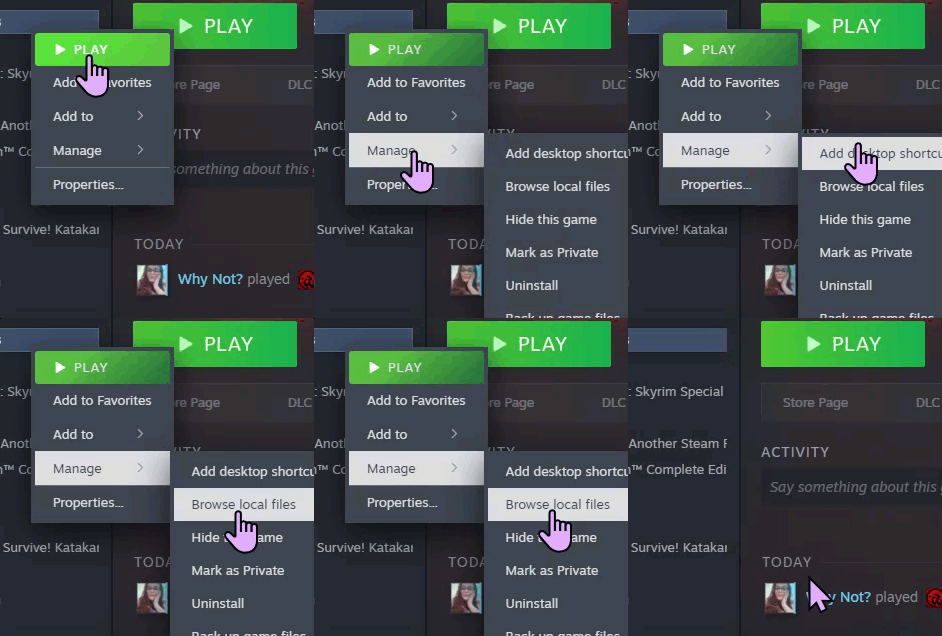
In Steam, right-click ARK: Survival Evolved and choose Browse local files.
Then open:
SavedArksLocal
Leave this folder open or minimize it for later.

In this folder, you should see files such as:
.ark.arktribe.arkprofile
The .ark file must match the map currently set on your server.
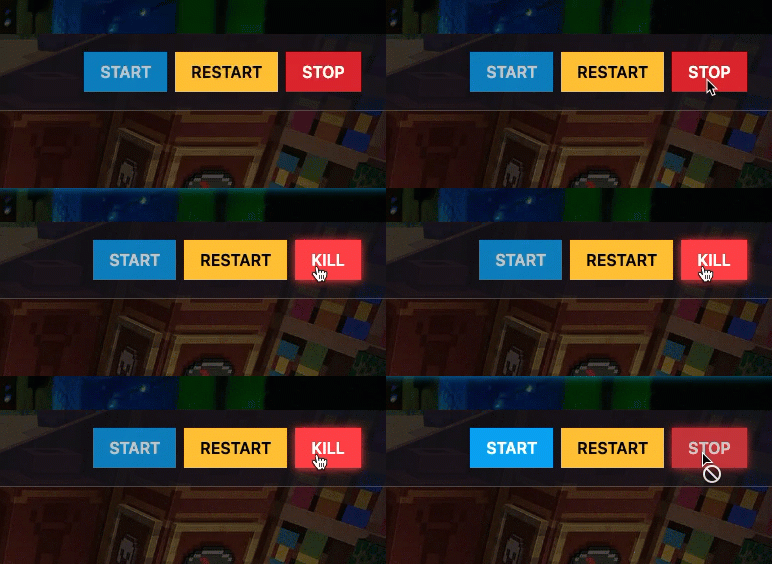
Step 2) Stop your server Open your console and STOP the server.
Step 3) Upload the save files using FTP
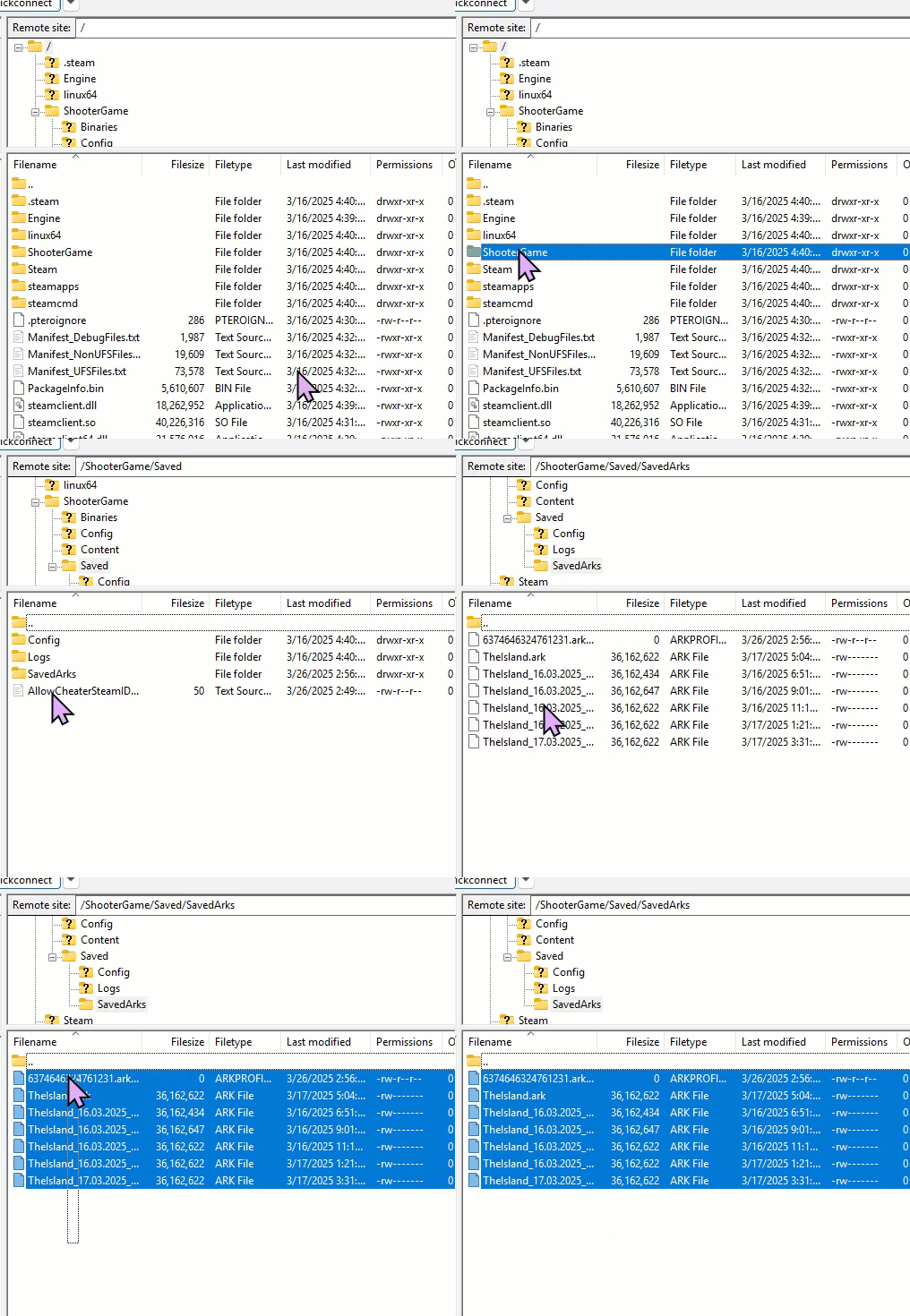
Connect to your server with your FTP client.
Then locate the SavedArks directory on the server and drag the files from your local SavedArksLocal folder into that server folder.
Step 4) Rename the player profile file
Rename the uploaded .arkprofile file to:
[STEAMID].arkprofile
Replace [STEAMID] with your actual Steam ID.

Step 5) Open the server config folder
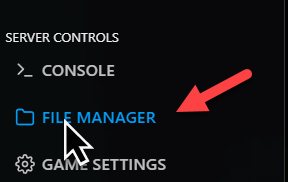
Go back to your console and open File Manager.
Navigate to:
ShooterGame > Saved > Config > LinuxServer

Step 6) Remove the current server config files
Find these two files:
Game.iniGameUserSettings.ini
Delete them from the server.
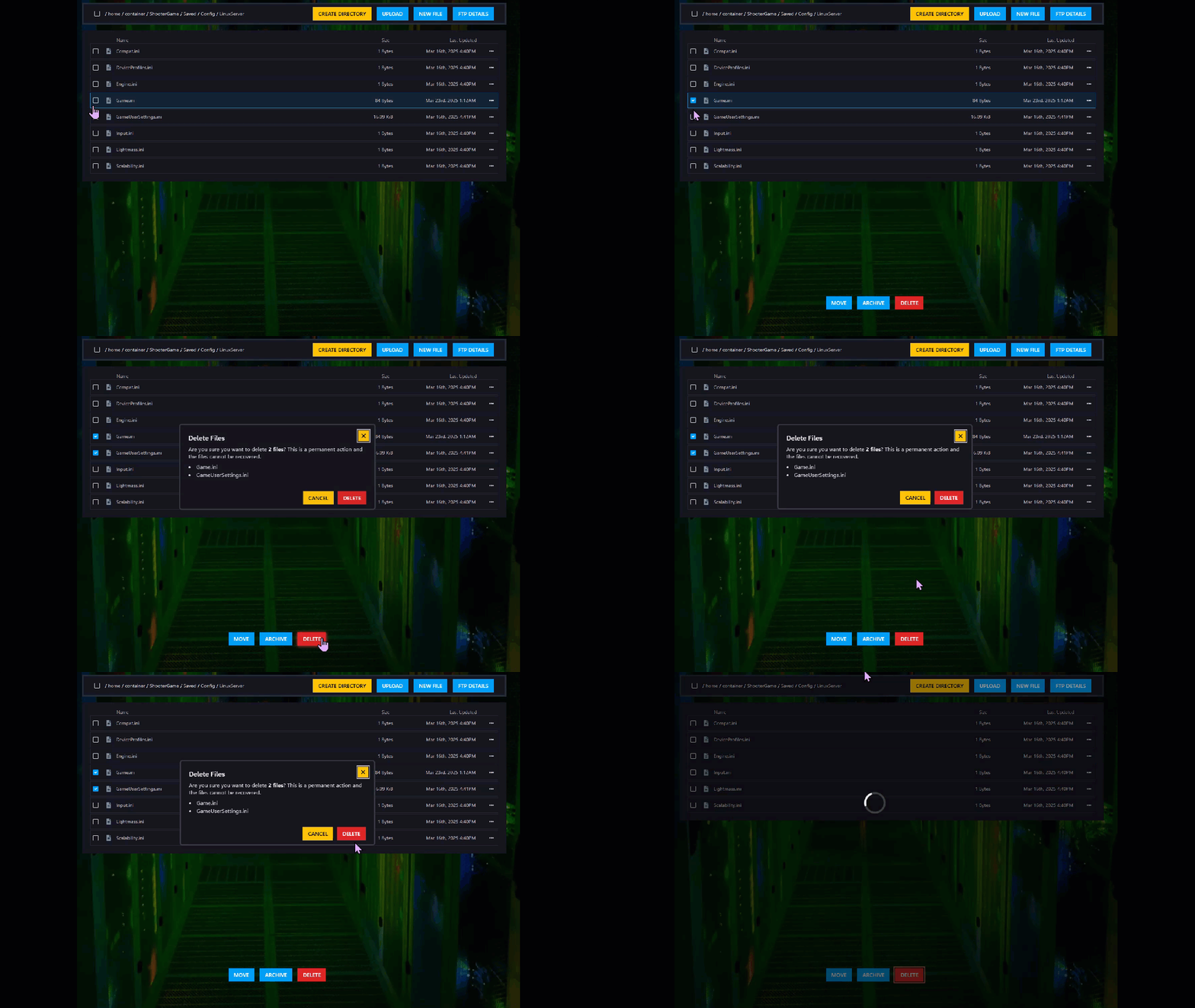
Step 7) Upload your local config files
Take your local copies of:
Game.iniGameUserSettings.ini
from:
Ark/ShooterGame/Saved/Config/WindowsNoEditor
Upload them to the server’s LinuxServer config folder.
After that, start the server again.

Your single-player save should now be transferred to the server.
Launch the game and enjoy your world online.
