How to reset map data on your ARK Server
Resetting map data on your ARK server removes the current world state and lets you start over with a fresh map.
This means that map progress, placed structures, and tames stored on that map will be removed, returning the world to its default state.
Make a backup before deleting any files, especially if you may want to restore the map later.
If you only want to reset player progress instead of the whole map, see this guide: Resetting player data for an ARK server
Step 1) Open your console, select your server, and stop it using the STOP button.
Once the server is stopped, open FILE MANAGER from the left-side menu under SERVER CONTROLS.

Step 2) Go to:
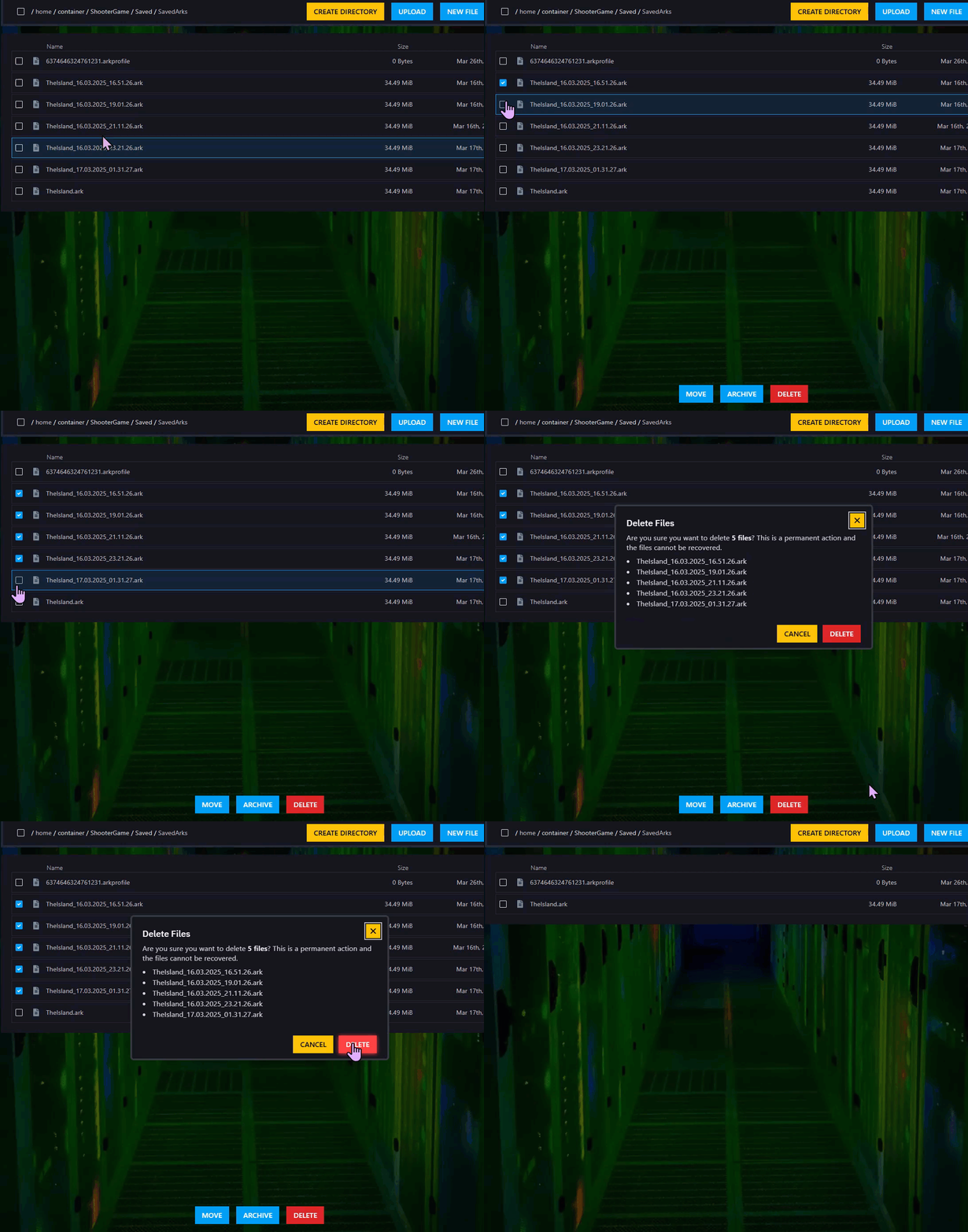
ShooterGame > Saved > SavedArks
Find the files that contain your current map name and end with the .ark extension.
For example, if you are using TheIsland, look for .ark files that contain that map name.

Step 3) Select those map files and click DELETE, then confirm the deletion.
Step 4) Return to the console and start your server again.

Your server will now load a fresh map.
