How to Enable Events on your ARK Server
ARK: Survival Evolved includes a variety of seasonal and special events that can add festive cosmetics, bonus rates, and unique gameplay features to your server.
These events are a great way to refresh the experience for your players, but keep in mind that only one event can be active at a time. Also, some older events may no longer work exactly as they did in the past.
How to enable an event
Step 1) Open your Console, select your server, and stop it using the STOP button.

Step 2) Once your server is stopped, open SETTINGS.

Look for the ADDITIONAL ARGUMENTS field in the bottom-right section of the page.
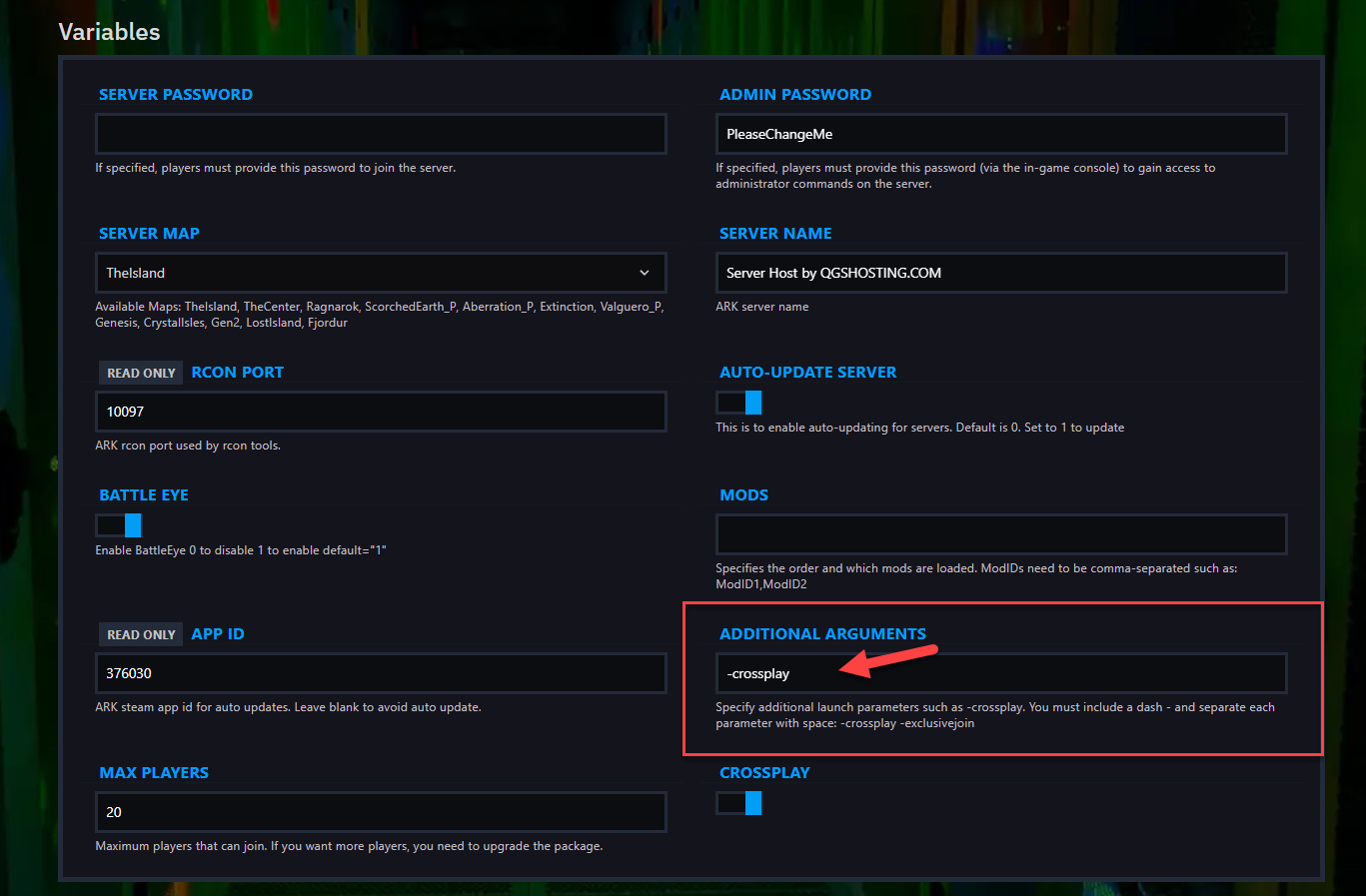
In this field, enter the event command you want to use.
Example:
-ActiveEvent=Easter
Available event parameters
| Event Name | Command |
|---|---|
| ARK: 5th Anniversary | -ActiveEvent=birthday |
| Fear Evolved 4 | -ActiveEvent=FearEvolved |
| Turkey Trial 4 | -ActiveEvent=TurkeyTrial |
| Arkaeology | -ActiveEvent=Arkaeology |
| Easter | -ActiveEvent=Easter |
| Extinction Chronicles | -ActiveEvent=ExtinctionChronicles |
| Love Evolved | -ActiveEvent=vday |
| Summer Bash 2020 | -ActiveEvent=Summer |
| Winter Wonderland 2020 | -ActiveEvent=WinterWonderland |
| Disable events | -ActiveEvent=None |
Step 3) Return to the Console and start your server again.

Your selected event should now be active on the server.