How to Set Up Offline PvP Protection on your ARK Server
In ARK: Survival Evolved, you can enable offline PvP protection to help protect players while they are offline.
This is especially useful on servers that run 24/7 or have players in different time zones. With this setting enabled, players do not have to worry as much about being raided while they are logged out.
Enabling offline PvP protection also disables tribe alliances.
That is why this guide includes both:
PreventOfflinePvP=TruePreventTribeAlliances=True
This guide shows you two ways to enable offline PvP protection:
Method 1: New Menu
Step 1) Open your Console, select your server, and stop it using the STOP button.

Step 2) Open GameUserSettings.ini from the menu on the left.

You will see the GameUserSettings.ini settings page with built-in fields for many available settings.

You can also click View File if you prefer editing the file directly. If you use that option, follow the steps in Method 2.

Step 3) Press Ctrl + F and search for:
PreventOfflinePvP

Set its value to:
True

Then search for:
PreventTribeAlliances

Set that value to:
True

Step 4) Scroll to the bottom and click SAVE.

Step 5) Return to the Console and start your server again.

Method 2: File Manager
Step 1) Open your Console, select your server, and stop it using the STOP button.
Once the server is stopped, open FILE MANAGER from the left-side menu under SERVER CONTROLS.

Step 2) Go to:
ShooterGame > Saved > Config > LinuxServer
Then open the GameUserSettings.ini file.

Step 3) In the editor, locate the [ServerSettings] section.
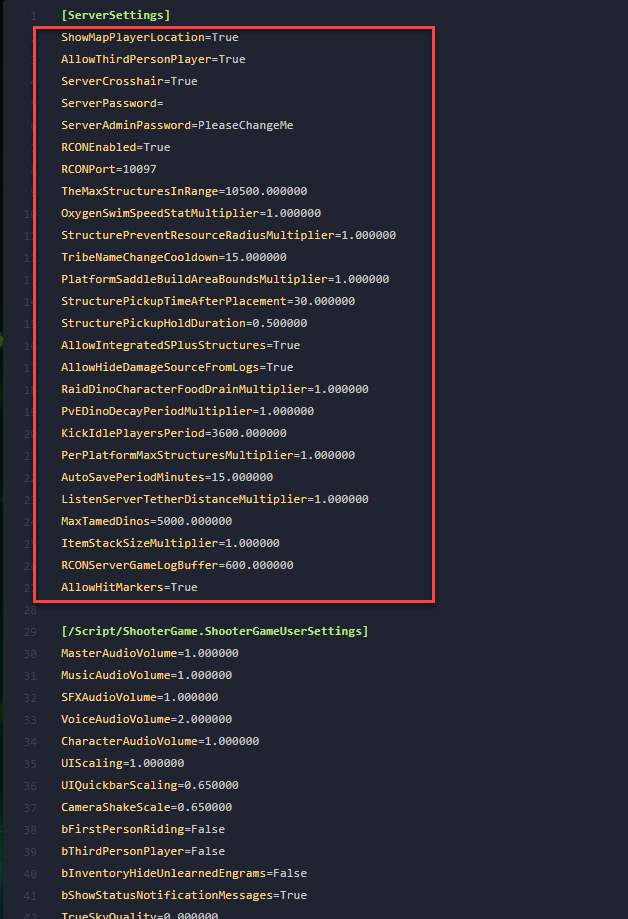
Step 4) Under [ServerSettings], add these lines on separate new lines:
PreventOfflinePvP=True
PreventTribeAlliances=True

Step 5) Click Save Content.

Step 6) Return to the Console and start your server again.
Offline PvP protection is now enabled on your server.
