How to change the MOD load order
The mod load order on your ARK Server plays an important role in server stability and performance. If multiple mods affect the same game files, they should be arranged in the correct order to avoid conflicts.
It is also a good idea to check whether your mods are compatible with each other to help prevent crashes and ensure a smoother modded experience.
Step 1) Go to your Console, click on your server, and stop it using the "STOP" button.

Step 2) Once your server is stopped, go to "SETTINGS".
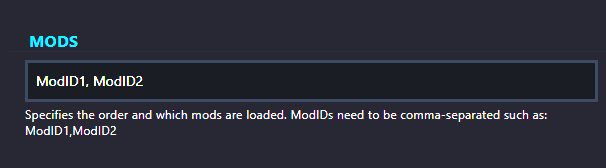
Step 3) Locate the field on the left side where you enter your MOD IDs. Separate each MOD ID with a comma.
Keep in mind that the order in which the MOD IDs are listed is the exact order in which they will load.
Step 4) Go back to the Console and start the server again.

You now have your mods loading in your desired order.
