How to reset world on your Minecraft server
IMPORTANT
Please note that deleting files/worlds is an irreversible process, please make sure you are deleting the correct files/worlds and that you have a backup.
Step 1) Go to your console > click on your server and stop it using the "STOP" button. Once your server is stopped, go to the "FILE MANAGER", which you’ll find in the menu on the left under "SERVER CONTROLS".

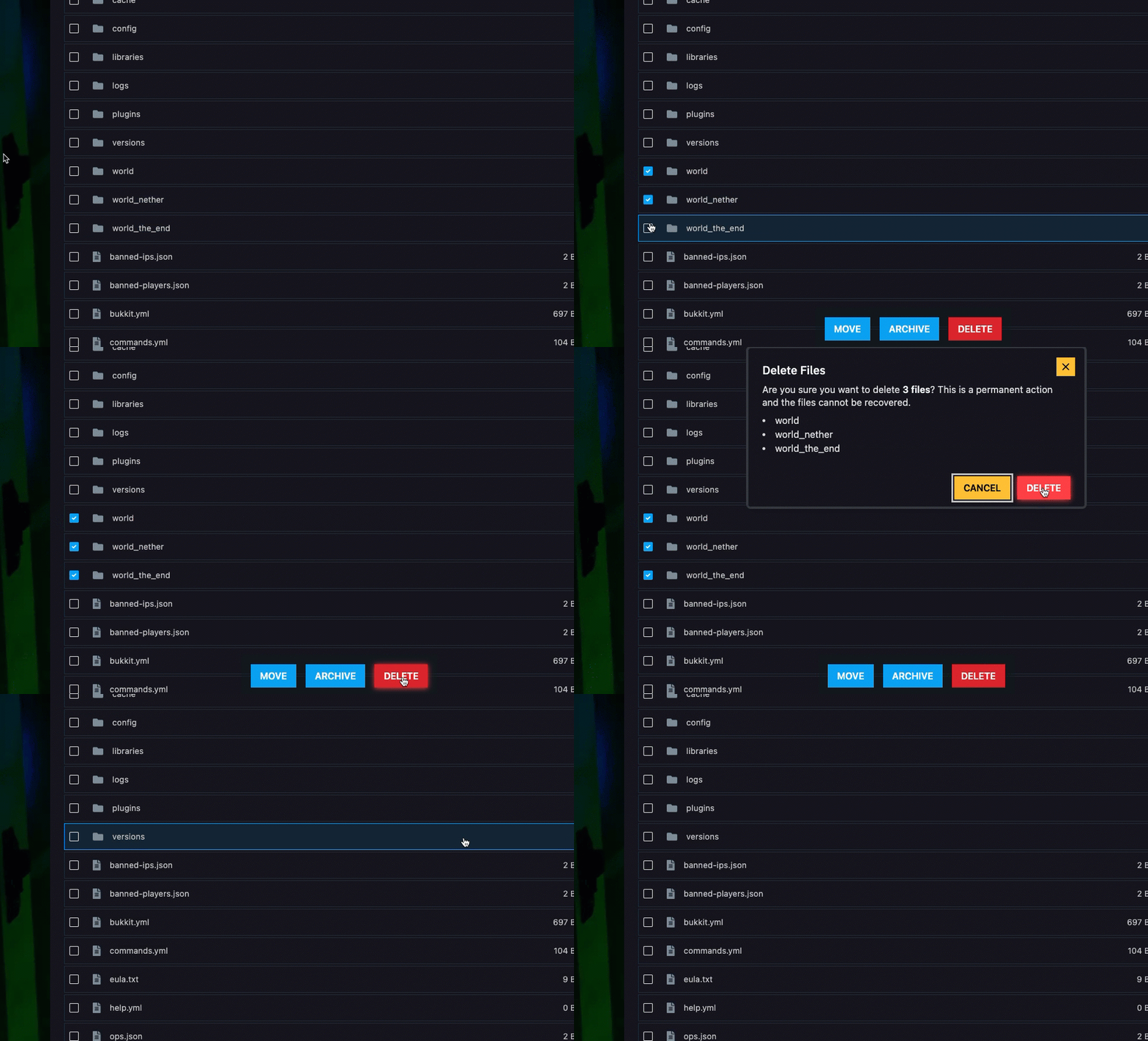
Step 2) Find your world folder (usually named world — if you're using Paper / Spigot / Purpur, you'll see: world, world_nether, and world_the_end).
Select them and delete them.
Step 3) Go back to the console and START the server and brand new world will be generated.

