How to use per-map configs on your Counter-Strike 2 server
On a Counter-Strike 2 server you can run different settings for different maps — for example a longer round time on big maps, or other settings on aim and AWP maps. The game does this by itself, without any plugin.
How it works
Every time a map starts, the server executes the configs in this order:
| Order | File | Executed |
|---|---|---|
| 1 | cfg/server.cfg | on every map |
| 2 | cfg/gamemode_competitive.cfg (or gamemode_casual.cfg, … for your game mode) | on every map |
| 3 | cfg/gamemode_competitive_server.cfg | on every map, if it exists |
| 4 | cfg/maps/de_dust2.cfg | only on de_dust2, if it exists |
The map config runs last, so its settings overwrite the general ones for that map only.
You can see this in the console when a map starts: lines like exec: couldn't exec 'cfg/maps/de_dust2.cfg' just mean that there is no config for this map yet — it's not an error.
How to create a config for a map
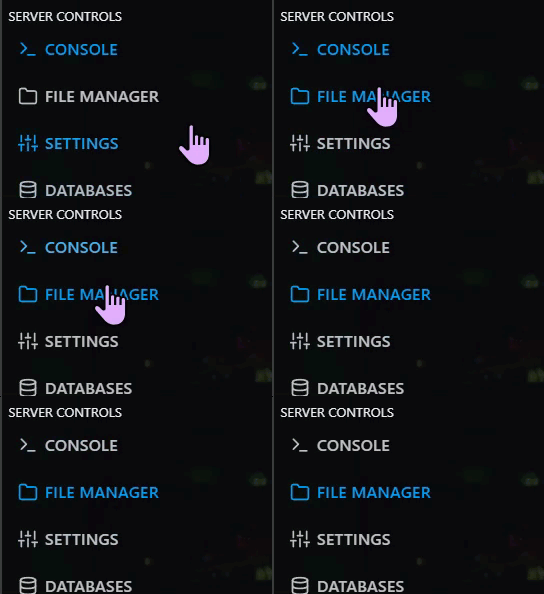
Step 1) Go to your console and click on "FILE MANAGER".
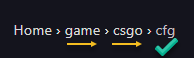
Step 2) Navigate to game > csgo > cfg. If there is no folder named maps, create it.
Step 3) Open the maps folder and create a new file named exactly like the map, with .cfg at the end — for example de_dust2.cfg or awp_india.cfg.

Step 4) Add the settings for this map, for example:
mp_roundtime 2.5
mp_roundtime_defuse 2.5
mp_freezetime 10
mp_buytime 30
Step 5) Save the file. The settings are applied the next time this map starts.

Important things to know
A setting changed in a map config stays active on the next maps until something sets it again. If you set mp_roundtime 2.5 in de_dust2.cfg, the next map also has 2.5 minutes — unless server.cfg or the gamemode config sets mp_roundtime again. Keep the default value of every setting you change per map in server.cfg.
- For Workshop maps, use the map's real name (the one shown in the console when it loads), not the Workshop ID.
- Don't put
mm_extra_addons(MultiAddonManager) in map configs — see Why mm_extra_addons must be set in only one config file. - If you want one config for a group of maps (for example all maps starting with
aim_), you need a plugin such as "Map Configs" for CounterStrikeSharp. It also executes files by prefix, likeaim_.cfgorde_.cfg.
