How to renew my hosting plan
Renewing your service on time keeps your server online without interruption. In this tutorial, we'll show you how to renew your hosting plan in just a few clicks.
IMPORTANT: Renew before the due date. If an invoice stays unpaid past the due date, the service can be suspended and later terminated, which may result in data loss.
HOW TO RENEW THE SERVICE?
Step 1) Go to your client area > click on "VIEW DETAILS" for the service you want to renew.
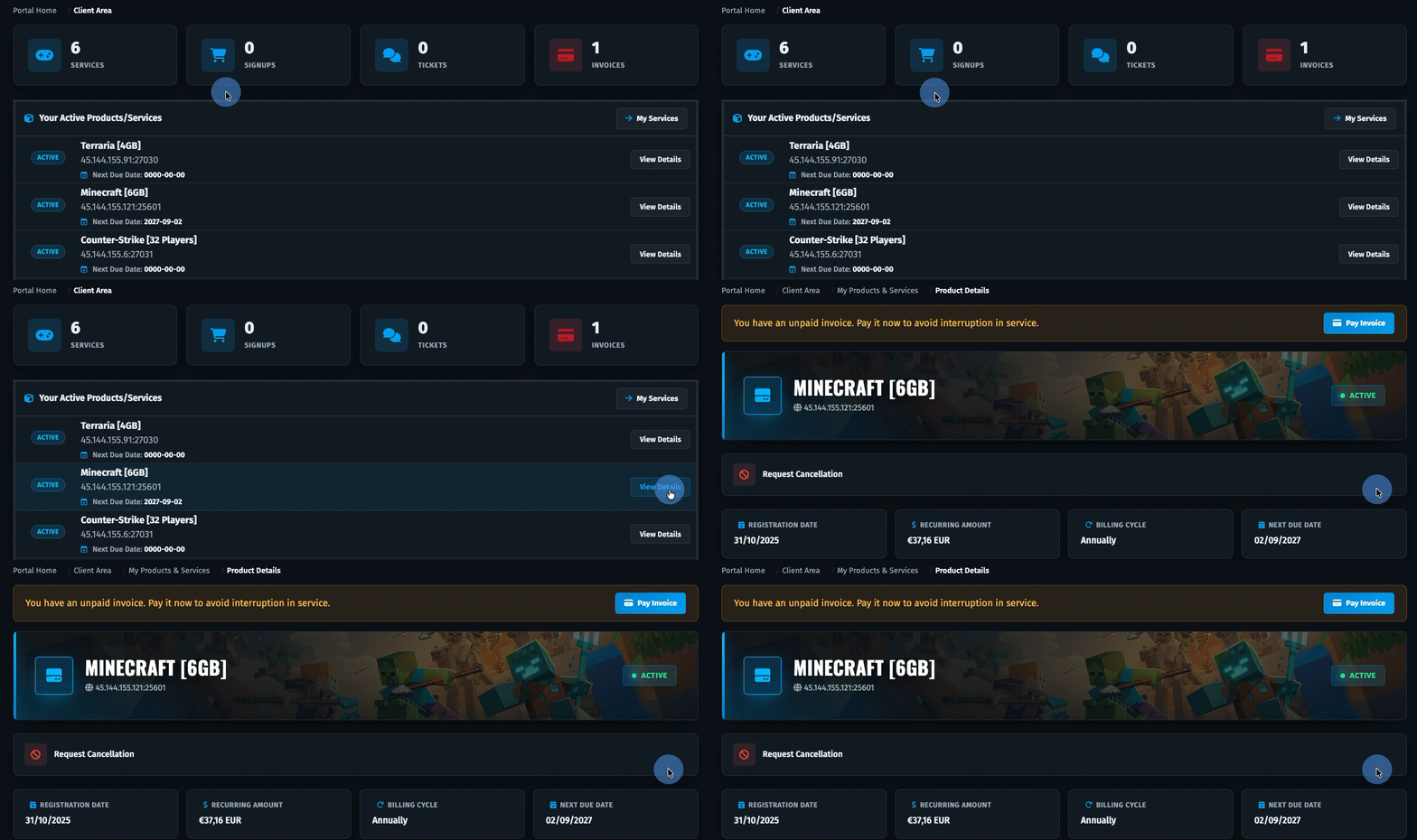
Step 2) On the service page, click on "RENEW SERVICE" > select the plan and proceed with the payment.
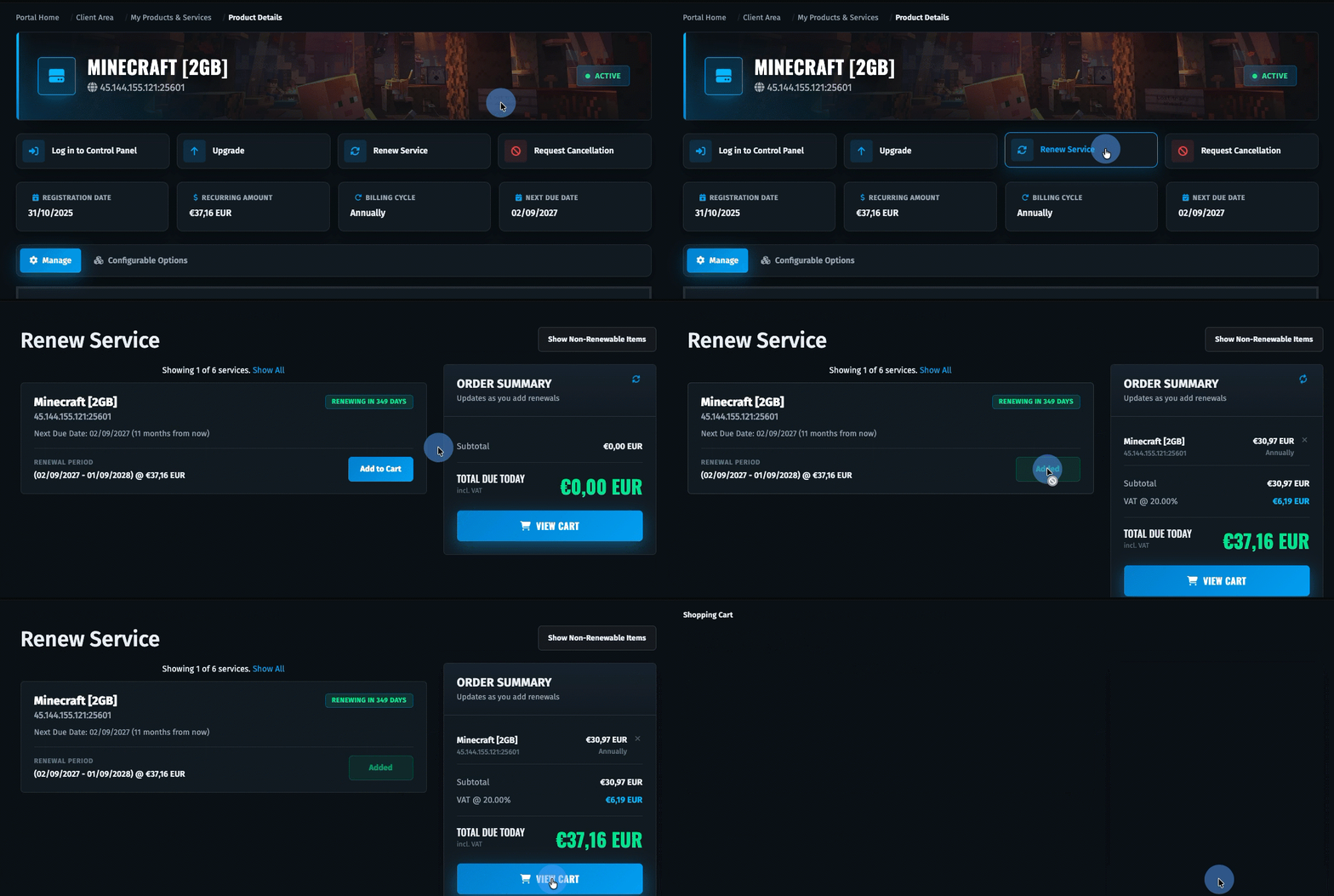
The service is renewed for the same billing period you chose when you first ordered it. If you need to renew for a longer or different period, don't hesitate to contact us via a support ticket or our Discord server.
- Support ticket: https://qgshosting.com/help
- Discord: https://qgshosting.com/discord
