How to cancel my service
Canceling any service is a straightforward process. However, please be aware that canceling a service will result in the permanent deletion of all associated data. It's highly recommended to create backups of important data beforehand. Assess your needs and consider if an alternative solution might better suit your requirements before proceeding with the cancellation. If you are experiencing issues with the server, our support team is available to help resolve them. You can submit a support ticket here.
If you using PayPal, please make sure you cancel your payment subscription on the PayPal dashboard. If you are not sure how to reach this place, please follow this guide here!
HOW TO CANCEL THE SERVICE?
Step 1) Go to your client area > click on "VIEW DETAILS" for the service you want to cancel.
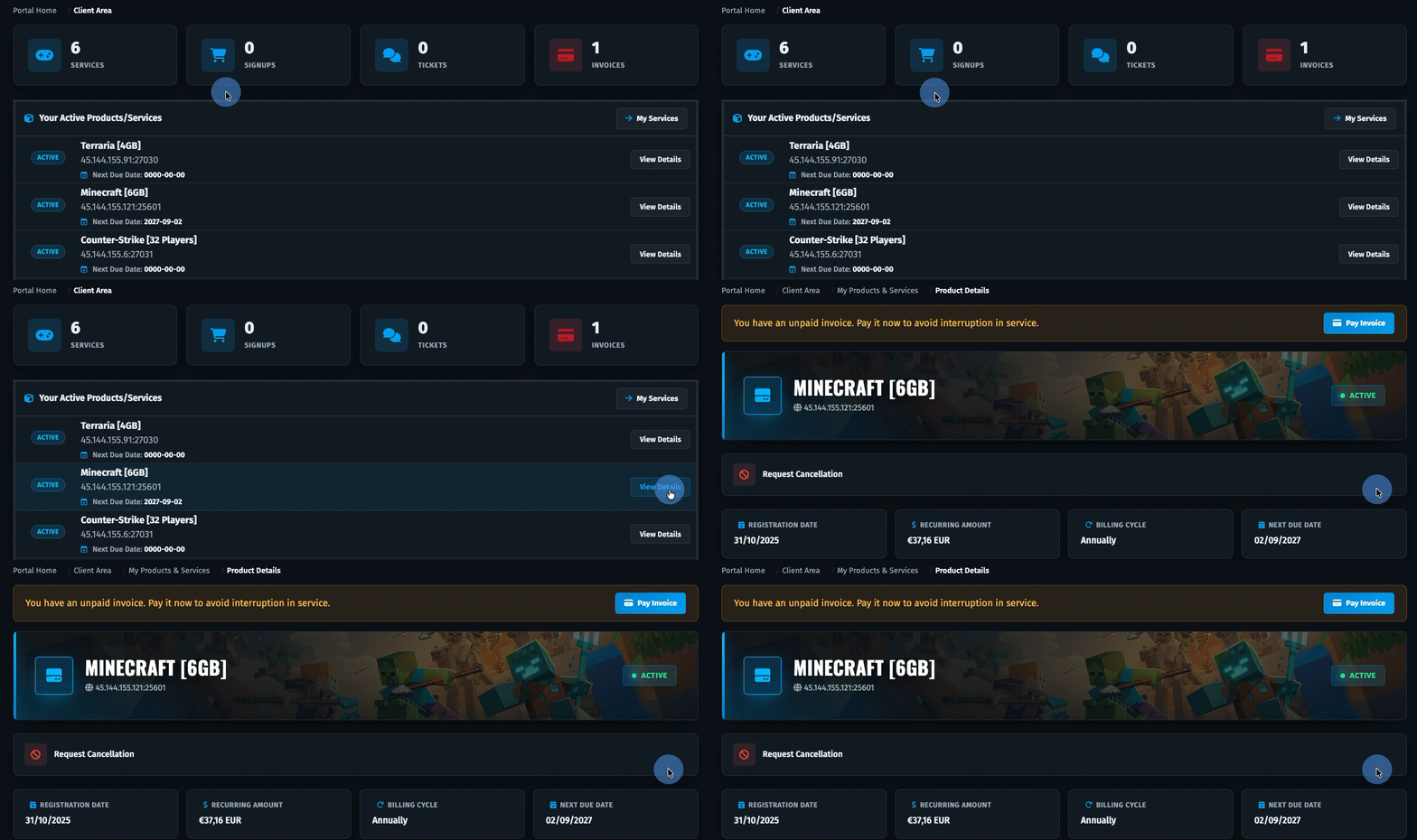
Step 2) When you locate your service click on "REQUEST CANCELLATION" > Choose the reason and write details about cancelation then click DONE
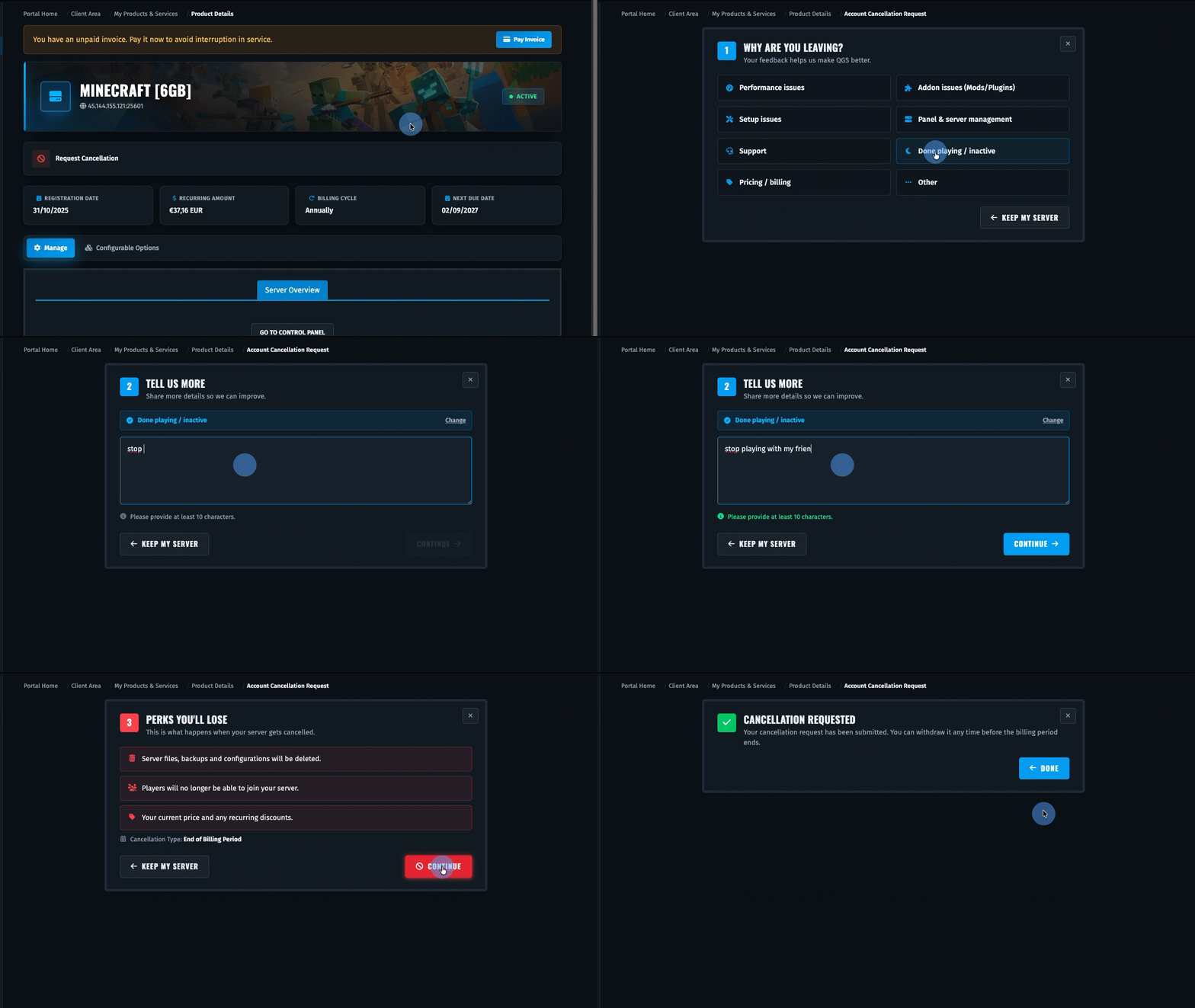
Done, your service will be cancel on end of the billing period.
